
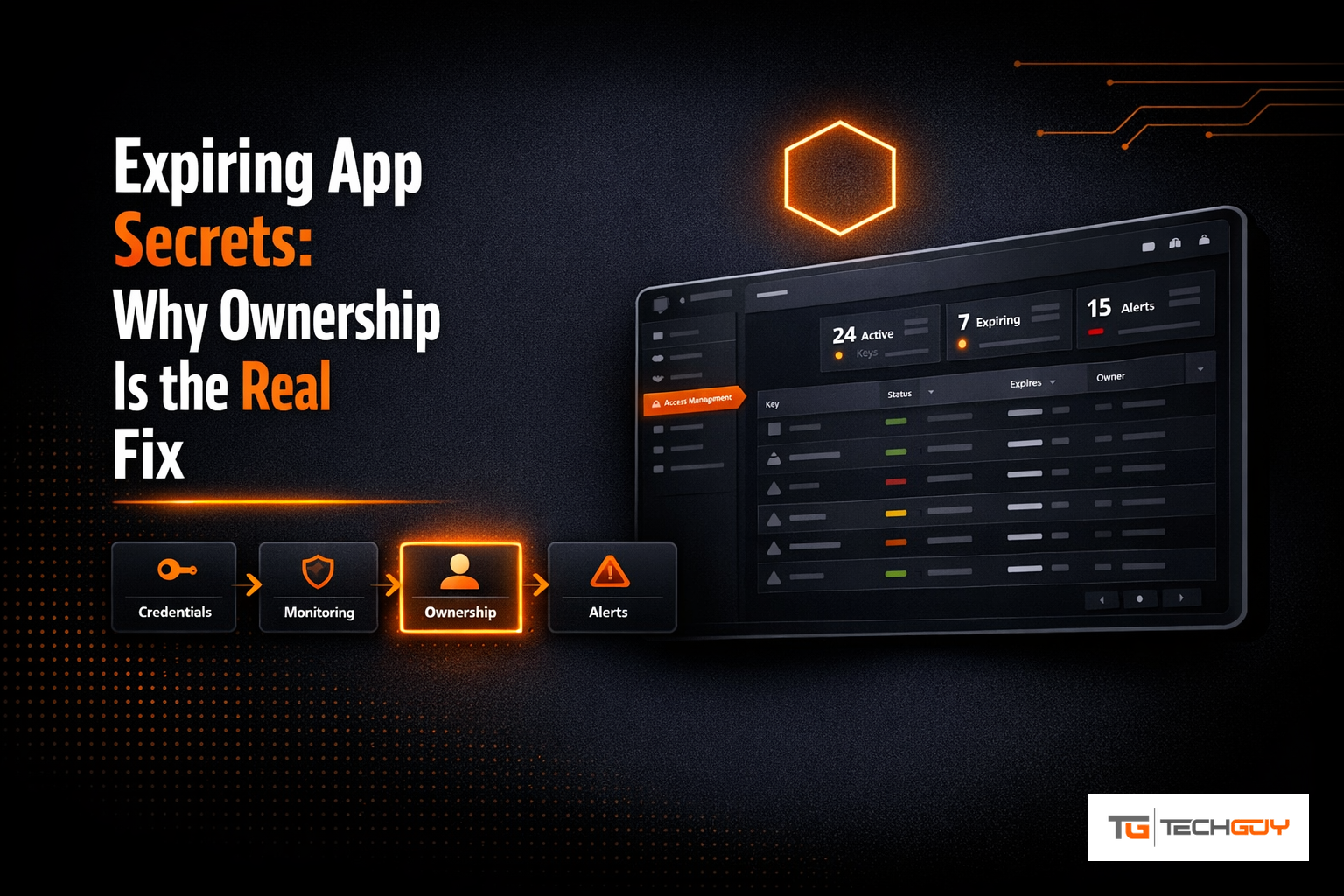
There is one specific type of incident I have probably seen more often than any other over the years: an application that has run without any issues for a long time suddenly stops working in the middle of the day, and nobody changed anything. After a bit of digging it turns out the client secret on the associated Entra ID app registration expired. Nobody had it on their radar because nobody quite remembered anymore who had created that app registration in the first place, or exactly what it was used for.
The pattern behind it is almost always the same. An app registration gets created by a developer or an external contractor as part of some project, the secret gets a default lifetime of one or two years, the project wraps up, the developer moves to a different company or the project just keeps running quietly in the background, and at some point the clock runs out. At one customer I worked with, the first full audit turned up more than 40 app registrations, and for over a third of them nobody in the company could say anymore what they were actually for or who should be notified if a secret was about to expire.
Why Microsoft’s built-in expiry alerting often is not enough
Microsoft does offer features to flag expiring secrets, among other things through Log Analytics workbooks or email notifications to global administrators when a secret is going to expire within the next 30 days. The problem in practice is less the technical feasibility of the notification itself and more who actually receives it and what happens next. These notifications usually land in a global administrator mailbox that several people monitor, or get lost in a general IT inbox. The developer or business unit that actually owns the application and knows whether a secret rollover is routine or high risk almost never gets that message directly.
The second issue, which I think is even more underappreciated, is the near total absence of ownership assignment in the default Entra ID experience. An app registration technically has an owner field, but in practice it rarely gets maintained consistently, and even when it is filled in, there is no automated process that specifically notifies that person ahead of an expiry and gives them a simple way to renew the secret themselves, without needing Application Administrator rights across the entire tenant.
How I approached this at au2mator
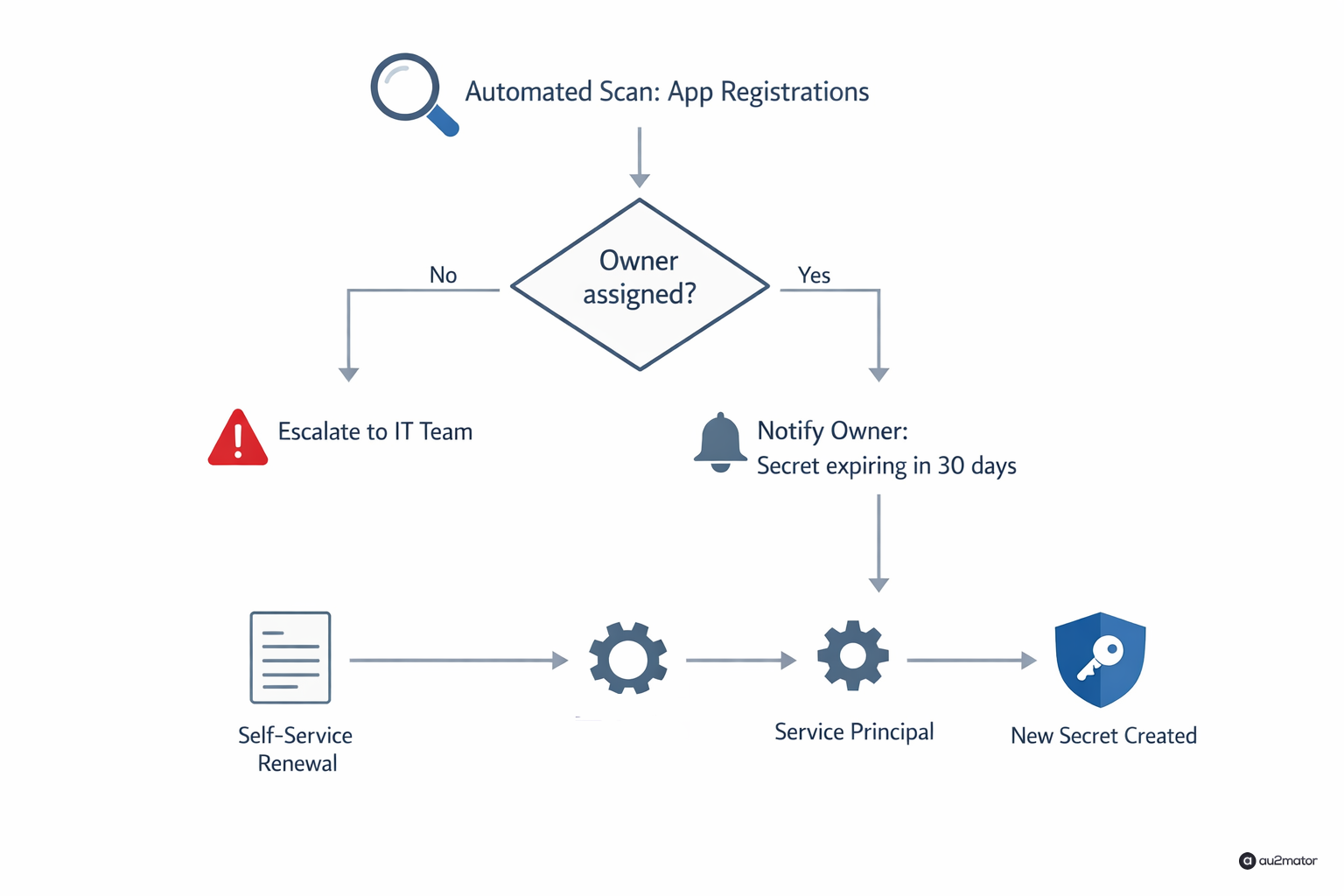
The approach I ended up taking combines two things: first, a systematic inventory of all app registrations with enforced owner assignment, and second, a self-service model for the actual secret renewal. In au2mator, a recurring scan runs across all app registrations in the tenant, checking which secrets expire within the next 30, 14, and 7 days. For any app registration without a defined owner, an automatic escalation goes to the IT team with a clear request to assign one before the next secret there can even be renewed.
Once an owner is assigned, that specific person gets a direct notification when their secret is about to expire, with a link to a simple self-service action in the portal. The owner can request a new secret through that, without being an Application Administrator themselves, the actual creation of the new secret happens in the background through a service principal with exactly that one, tightly scoped permission.
A concrete result
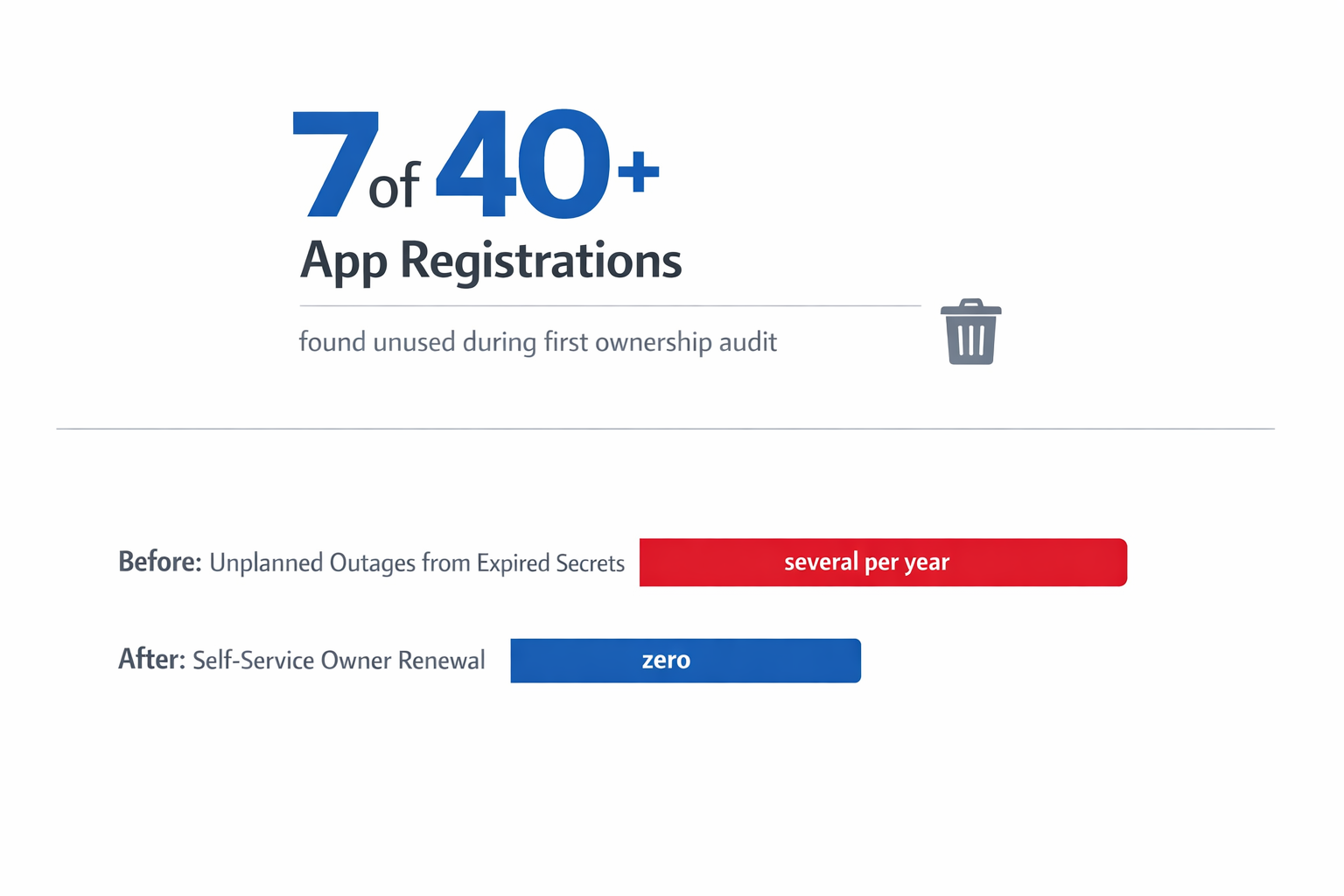
At the customer mentioned earlier, with the more than 40 app registrations, just the first inventory with enforced ownership assignment identified seven app registrations belonging to applications that were not even in use anymore, completely unnecessary attack surface that had simply never been cleaned up. For the remaining active registrations, the number of unplanned outages caused by expired secrets has dropped to zero since introducing the self-service model, because the respective owners now get notified directly and in time, instead of the message disappearing into some shared mailbox.
What I actually recommend
The first step I recommend to anyone, before even thinking about automation, is a one-time, complete inventory of all app registrations in the tenant, including the question of who actually knows what each one is used for. Often that exercise alone is eye opening, because it shows how many “forgotten” registrations with still active but useless permissions are sitting around in the tenant. Only after that does it make sense to think about automated owner notifications and self-service renewal, otherwise you are just automating a process where, at the end of the day, nobody is actually responsible anyway.
I write regularly about IT automation, Azure, and whatever comes up while building au2mator. If you have questions about your own environment, feel free to reach out.
