
Azure Automation is one of those Microsoft products that is technically very capable and yet, in a lot of mid-sized companies, barely used by anyone outside a small circle of cloud admins. The reason is usually mundane: to trigger a runbook, you need access to the Automation Account resource in the Azure portal, and for good reason nobody wants to hand that out generously. A runbook can potentially run PowerShell code with fairly broad permissions, that is not something you casually give the entire IT team access to.
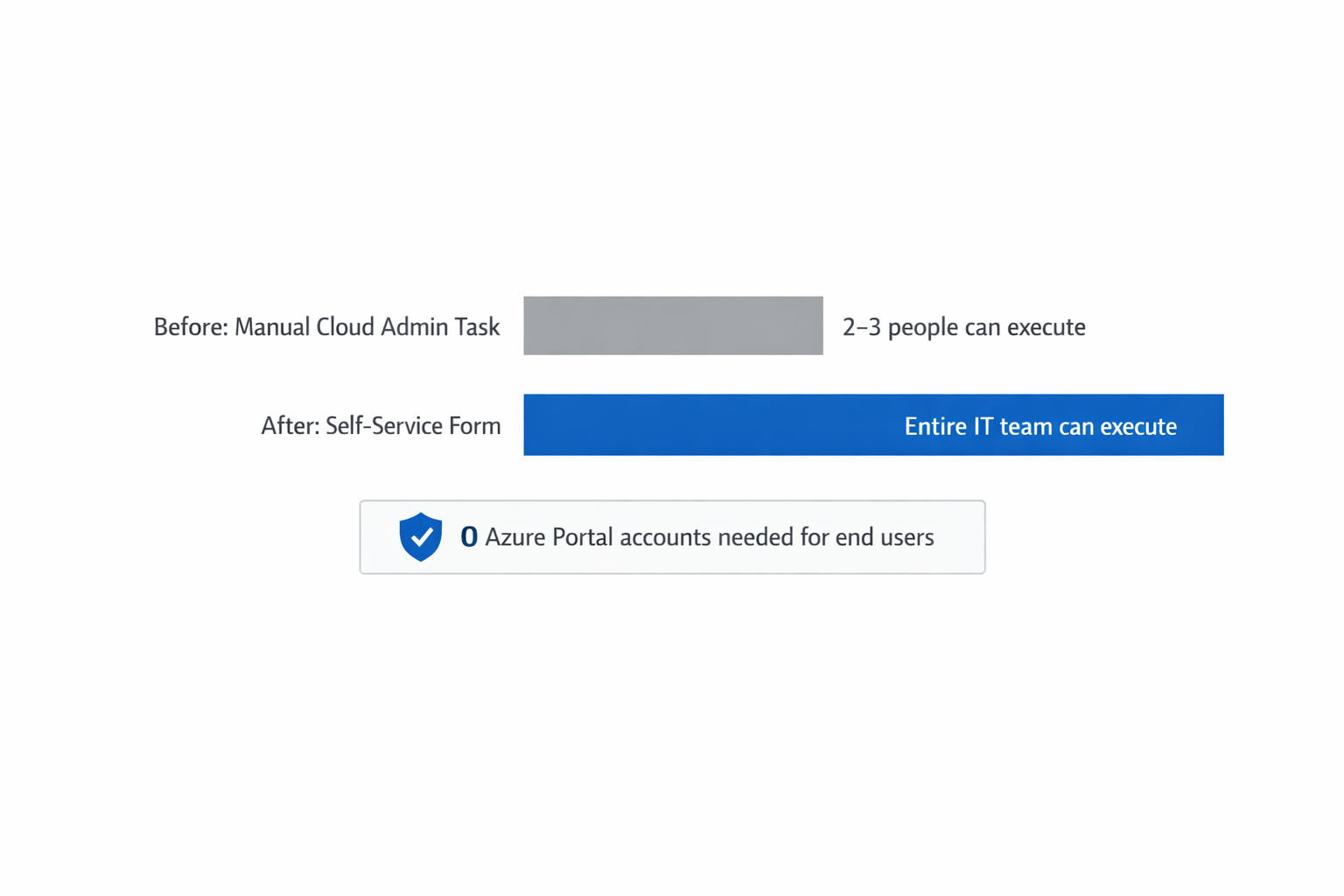
What I keep seeing in practice is a kind of bottleneck effect. There are two or three people in the company who know how to manually trigger a runbook in Azure Automation and set the right parameters, and everyone else on the IT team has to ask those specific people whenever they need to run an automated process that technically already exists. The automated script is there, but access to it becomes just as much of a bottleneck as the manual work it was supposed to replace.
Why native Azure RBAC does not really solve this
You might think this can be solved with Azure RBAC, using a role that only allows triggering runbook jobs without letting anyone edit the runbooks themselves. That role does exist, it is roughly called Automation Job Operator. The problem in practice is that this role still requires full access to the Azure portal, including navigating through resource groups, subscriptions, and the fairly overwhelming interface of Azure Automation itself. For a help desk agent or a department lead who just wants to run “please disable all user accounts inactive for the last 90 days”, that is far too high a barrier, regardless of which RBAC role sits behind it.
There is a second, often underestimated issue as well. Anyone with access to Automation Account resources in the Azure portal usually also sees other resources in the same subscription or resource group. You would either need very fine-grained, painstakingly maintained RBAC assignments, or accept that people see more than they should just to be able to trigger one single runbook.
How I approached this at au2mator
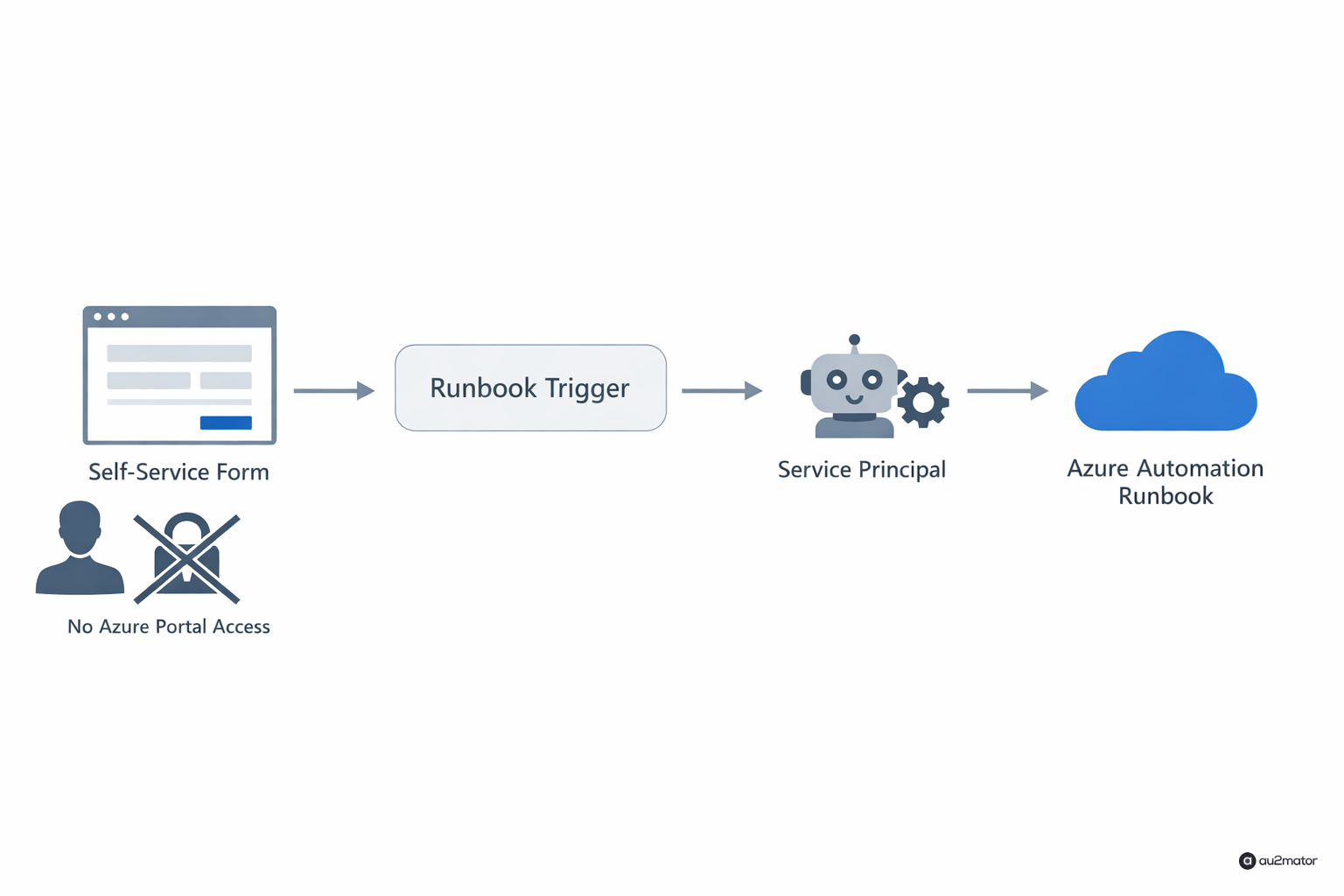
The approach that turned out to work for me was building a layer on top of Azure Automation that does exactly one thing: make existing runbooks accessible as simple, form-based actions, without the executing employee ever seeing the Azure portal itself. In au2mator, this works by connecting a runbook once, technically, with clearly defined input parameters, for example “time period in days” or “target group”, and after that it shows up as a form inside the self-service portal.

An IT team member who is not a cloud admin does not open Azure at all, they open a simple web form with maybe three or four input fields, click execute, and in the background a dedicated service principal with exactly the permissions needed for that one runbook handles the actual execution. The employee themselves never gets access to the Azure subscription, the resource group, or any other runbook they should not see.
A concrete example from practice
At one customer, the specific task was disabling all user accounts that had not logged in for more than 90 days on a monthly basis, a classic compliance task that used to be run manually by a single AD administrator via script, usually late because that person also had other things to do. After the switch, HR, who actually has the best insight into which accounts should really be considered inactive, could trigger this runbook themselves once a month with a single click, without ever touching Azure. The AD administrator only had to handle the one-time technical connection, not the monthly repetition.
What I actually recommend
When I talk to companies about Azure Automation, the most common mistake I see is that runbooks get written but treated purely as a cloud admin tool, instead of as a process that departments could trigger themselves. The most pragmatic first step is to look at existing runbooks and ask who the natural owner of this process would be if Azure was not a factor at all. Usually the answer is not the cloud admin, it is someone in HR, on the help desk, or in a specific department, and that is the person who should get access, without needing to learn Azure to use it.
I write regularly about IT automation, Azure, and whatever comes up while building au2mator. If you have questions about your own environment, feel free to reach out.